Virtualisation Platforms We Deploy
🖥️
VMware ESXi
vSphere · vCenter · vSAN · HA/DRS
🔷
Microsoft Hyper-V
Server 2019/2022 · Failover Cluster
💾
Synology VMM
NAS-based VM Manager · SME
🛡️
Veeam
VM Backup & Instant Recovery
🌐
Proxmox
Open-source KVM virtualisation
Virtualisation Services
What We Deploy
RYZEN designs and deploys virtualisation solutions from SME single-host to enterprise multi-site clusters.
🖥️
VMware ESXi / vSphere
ESXi hypervisor, vCenter Server, VM provisioning and vSphere management.
🔷
Microsoft Hyper-V
Hyper-V role, VM creation, live migration and failover clustering.
💾
Synology VM Manager
Run VMs on Synology NAS — lightweight virtualisation for SMEs without a dedicated server.
🔄
P2V Migration
Migrate physical servers to VMs — zero data loss, brief cutover window.
🛡️
VM Backup (Veeam)
Veeam Backup & Replication — instant VM recovery, off-site replication, SureBackup.
🏗️
HA & Clustering
VMware HA/DRS or Hyper-V failover cluster — VMs auto-restart if host fails.
Who Virtualises
Virtualisation for Every Business
01
🏢
Corporate Office
Consolidate 5–10 physical servers into VMs on one host — reducing power, cooling and maintenance.
02
🏭
Factory & Warehouse
Virtualise ERP, WMS and SCADA support systems — easier backup and faster recovery.
03
🏥
Healthcare & Clinic
Patient management, DICOM and clinic apps as VMs — fully protected with Veeam backup.
04
🏫
School & Campus
Domain controller, file server, print server as VMs — simpler management for school IT.
05
🏛️
Government & GLC
MOF-certified (357-0002398674) virtualisation procurement with full tender documentation.
06
💼
SME on Synology
Run lightweight VMs on Synology NAS — no dedicated server hardware needed for small teams.
Real Projects
Virtualisation & Server Projects

Server & NAS
Server Room
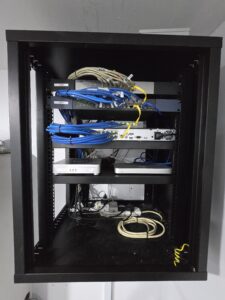
Server & NAS
Upgrade

Server & NAS
IT Build

Server & NAS
Office Build
Consolidate Servers. Cut Costs. Increase Resilience.
RYZEN deploys VMware, Hyper-V or Synology VM — turning multiple physical servers into efficient, managed VMs.
Get In Touch
Get a Free Quote
Response within 30 minutes.
Virtualization Enquiry
🔒 Secure · Response within 30 minutes
FAQ
Common Questions
What is virtualisation and why should I use it?+
Virtualisation lets you run multiple VMs on one physical server — consolidating hardware costs, simplifying backup (snapshot the entire VM), enabling faster deployment and improving business continuity (live migrate VMs between hosts).
VMware or Hyper-V?+
VMware: best enterprise features, wider hardware support, more advanced clustering. Hyper-V: free with Windows Server, tight Microsoft integration. Synology VMM: most cost-effective for SMEs with existing Synology NAS. RYZEN advises after assessing your environment.
Can RYZEN migrate our physical servers to VMs?+
Yes. RYZEN handles P2V with Veeam Agent or VMware Converter — copying the physical server to a VM while it keeps running, with a brief 5-minute cutover window.
How do you back up virtual machines?+
Veeam Backup & Replication takes agentless snapshots of VMware or Hyper-V VMs — stored on Synology NAS, with off-site replication and instant VM recovery.
What hardware do I need for virtualisation?+
At minimum: multi-core server with 64–256GB RAM, fast SSD/NVMe storage and dual network ports. RYZEN right-sizes hardware based on your VM count and workloads.
What is HA in virtualisation?+
VMware HA or Hyper-V Failover Cluster automatically restarts VMs on another host if one fails — typically within 1–2 minutes with no manual intervention.